How Preflight Checks Improve Print Production Efficiency and Reduce Waste
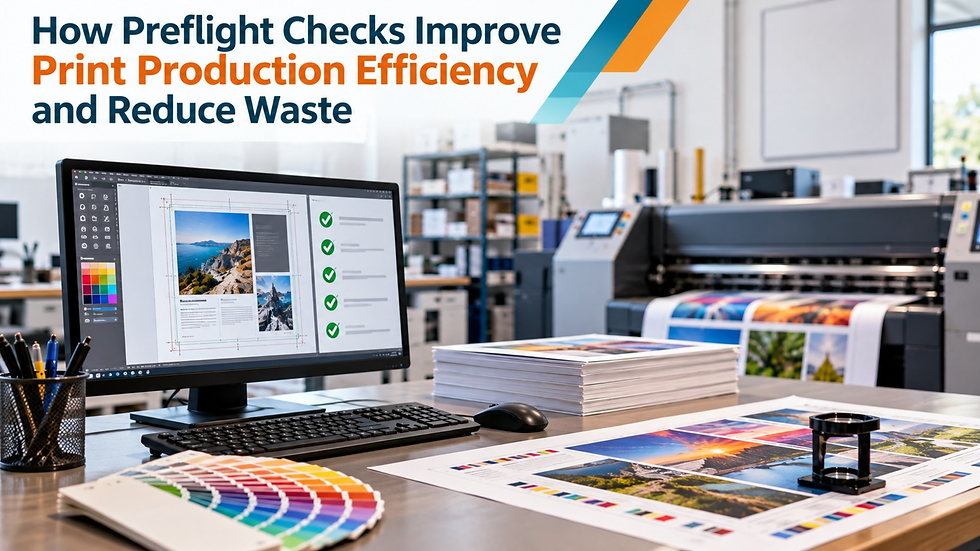
A print file can look perfectly fine on screen and still create problems once it reaches production. Fonts may not be embedded correctly. Images may be too low-resolution for the final size. Bleed may be missing, or color settings may not match the intended output.
These issues are much easier to correct while the job is still a digital file.
That is why preflight checks are an important part of prepress. They help identify technical file problems before you commit materials, press time, and finishing resources. When teams catch issues early, they can reduce avoidable reprints, delays, and material waste while keeping jobs moving more efficiently.
What Is a Preflight Check in Prepress?
A preflight check is a technical review of a digital file before it moves into print production.
The purpose is to confirm that the supplied artwork meets the requirements of the specific print job.
Depending on the project, the review may include:
font embedding and text handling
image resolution
bleed and trim
page dimensions
color spaces and profiles
transparency and overprint settings
PDF integrity
Preflight is not the entire prepress process. It is one quality-control stage within a broader production environment.
A file may pass basic technical checks and still require additional preparation before it is ready for output. That can include color preparation, imposition, trapping, proofing, or other work related to the final printing method.
How Preflight Checks Help Reduce Print Waste
Print waste is not limited to paper.
A problem discovered after production begins can also waste ink, substrate, operator time, finishing resources, machine capacity, and scheduled production time.
Take missing bleed as a simple example. If you identify the problem before production, you can usually correct the artwork without affecting the printed job. If you discover it only after printing and trimming, you may need to reprint part or all of the job.
The same applies to incorrect dimensions, missing fonts, unsuitable image resolution, and color conditions that do not meet production requirements.
Early file checking helps keep these problems from moving downstream.
The sooner you find an error, the fewer resources you've usually committed to the job. That is what makes preflight an important part of print production waste reduction, not just another technical checkpoint.
Common File Problems That Affect Production Efficiency
A file doesn't need to look obviously damaged to cause trouble during production. Many common issues are difficult to notice during a normal visual review.
Low-Resolution Images
An image may look sharp on a monitor but appear soft or pixelated when printed at a larger size.
Evaluate resolution based on the intended output. The correct requirement can depend on the final size, substrate, printing method, and viewing distance.
Using one fixed resolution rule for every project can create unnecessary warnings or fail to account for how the artwork will actually be produced.
Missing or Incorrect Bleed
Insufficient bleed can leave unwanted unprinted edges after trimming.
This problem often becomes more noticeable during finishing than when viewing the original artwork. Catching it during preflight gives the production team time to correct the file before materials are used.
Font Problems
Missing or improperly embedded fonts can lead to substitutions, text reflow, or unexpected layout changes.
A document may look correct on the designer's system because the required fonts are installed there. Problems can appear when the same file is opened or processed on another system.
Checking font conditions before production reduces the chance of these layout changes appearing later.
Color and Profile Issues
Print files may contain RGB content, spot colors, profiles, or other color conditions that need to be reviewed against the intended output.
The correct setup depends on the job.
A commercial print project, packaging job, large-format piece, and specialty print application may not use identical color requirements. Preflight should therefore compare the artwork against the actual production specification rather than applying one universal rule.
Transparency, Overprint, and PDF Conditions
Transparency and overprint settings can affect how artwork appears in the final output, especially when spot colors or specialty finishing are involved.
Structural PDF issues can also cause problems later in production even when the document appears normal during a quick screen review.
These technical conditions make file validation valuable before the job moves deeper into prepress.
Preflight Supports a More Efficient Prepress Workflow
A strong prepress workflow in print production catches technical problems before they become production interruptions.
If a file has an issue, the prepress team can correct it or request clarification before committing additional time and resources.
That reduces the chance of operators discovering problems while preparing output, running the press, or completing finishing work.
Passing preflight does not automatically mean a file is fully production-ready.
Some jobs may still need imposition, trapping, color preparation, proofing, or other prepress work. Preflight simply confirms that the file has passed the technical checks required before those later production tasks continue.
This distinction matters because preflight should support the rest of prepress, not replace it.
Automation Helps With Repetitive File Checking
Print operations may receive large numbers of customer-supplied files, and manually reviewing every technical property can consume significant prepress time.
Automation is useful for checks that follow clear rules.
Routine conditions such as font embedding, resolution, bleed, page dimensions, color information, and PDF integrity can be reviewed consistently across incoming files.
This reduces repetitive manual work and gives experienced prepress staff more time to focus on exceptions.
Automation is especially useful when job volume increases because it applies the same validation criteria consistently. But that does not mean every production decision should be automated.
Why Human Review Is Still Important
Technical checks can confirm whether a file meets predefined conditions. They cannot always determine whether the artwork is right for the intended job.
A file may require human review because of:
unusual finishing requirements
packaging dielines
specialty colors
non-standard substrates
customer-specific requirements
production exceptions
An experienced prepress professional can review the issue in context and decide whether to correct the file, approve it, or return it for clarification.
Professional preflight services can support print companies that handle high volumes of customer artwork or need additional technical review before files enter production.
The best approach combines consistency with judgment.
Routine file checks can be handled efficiently, while experienced professionals concentrate on conditions that require a deeper understanding of print production.
Clear Job Specifications Make Preflight More Effective
Preflight works best when the production requirements are already defined.
Different print jobs can have different expectations for dimensions, resolution, color, substrates, bleed, and finishing.
A large-format graphic may need different file preparation than a book, carton, label, or commercial brochure.
Using one universal set of checks for every job can create two problems. It may flag conditions that are acceptable for the intended output, or it may miss something important for a particular production method.
Clear job specifications help prevent both.
Instead of asking only:
"Is this PDF technically valid?"
the better question is:
"Is this file suitable for the job we are preparing to produce?"
That shifts preflight from generic file checking to meaningful prepress quality control.
Preflight Helps Prevent Reprints Before They Start
The most efficient time to fix a print problem is before anything has been printed.
Preflight checks help identify technical issues while they are still digital file problems. That can reduce unnecessary reprints, protect production schedules, limit material waste, and reduce avoidable correction work later in the job.
For print businesses that need additional production support, professional prepress services can also help with file correction, imposition, trapping, color preparation, and other technical tasks required before output.
Don't treat preflight as a final box to check before printing. It works best as an early quality-control measure that helps protect materials, press time, and production efficiency before small file problems become expensive printing problems.

Comments